Lucas BARRAY

Forum Replies Created

Viewing 7 posts - 1 through 7 (of 7 total)
  • Author
    Posts
  • in reply to: Broken Settings Page #10529
    Lucas BARRAY
    Participant

    Hello,

    Ok so I deactivated every installed plugin but Foodbook and Woocommerce (as I can’t access the Foodbook settings page without Woocommerce active) and I also rolled back to the Twenty Twenty-One theme and I still have the issue.

    I really would like to understand that your plugin has no issue, but it now seems that it is either Foodbook or Woocommerce. If there is actually a conflict between Foodbook and Woocommerce, I think that you should consider that the issue is related to Foodbook…

    Any other idea?

    Regards,
    Lucas

    in reply to: Broken Settings Page #10518
    Lucas BARRAY
    Participant

    Hello,
    I just sent you the email with credentials to access the website.
    Looking forward to your answer.
    Thanks,
    Lucas

    in reply to: Broken Settings Page #10485
    Lucas BARRAY
    Participant

    Hi,
    May I have an update about this issue?
    I currently can’t edit the settings of Foodbook, which make the plugin useless… Maybe should I ask for a refund and find another working plugin?

    in reply to: Broken Settings Page #10460
    Lucas BARRAY
    Participant

    Hi,

    There is no cache on the website nor on the server as the site is still under developement. I also tried on a fresh install of a new browser to be sure there is no cache there either and I still get the issue.

    The browser console shows errors on the settings page loading, e.g this error thrown by https://pictruck.marquedigitale.ovh/wp-admin/admin.php?page=foodbook:
    Refused to execute script from 'https://pictruck.marquedigitale.ovh/wp-admin/?ver=1.0.0' because its MIME type ('text/html') is not executable, and strict MIME type checking is enabled.

    After page is loaded, I have 15 of these errors.

    Foodbook console errors

    Regards,
    Lucas

    Lucas BARRAY
    Participant

    Hi,
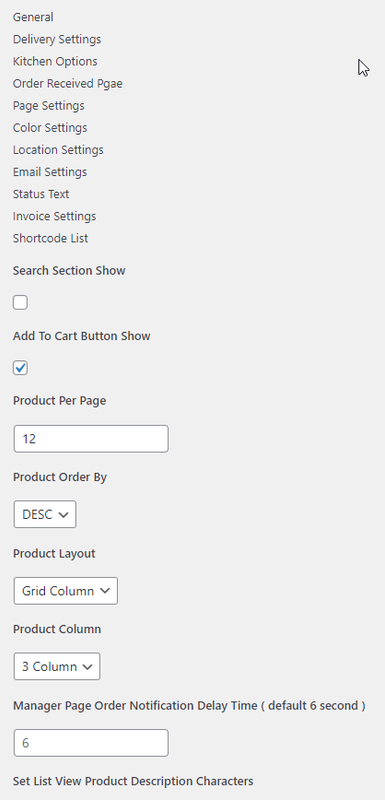
    I updated Foodbook to v3.9.4 but admin page is still broken on my site.
    broken admin page

    I’d rather not publicly provide an access to my website, how may I privately send you credentials ?

    Thanks

    • This reply was modified 4 years, 7 months ago by Lucas BARRAY. Reason: Wrong image upload
    • This reply was modified 4 years, 7 months ago by Lucas BARRAY.
    in reply to: Unable to display a single product (infinite loading) #10281
    Lucas BARRAY
    Participant

    Hello, sorry for the late reply.

    We had a problem to display a simple product. We succeeded today to make appear our simple products. It was an error on our server side.

    Thank you for your help

    Sincerely

    in reply to: Unable to display a single product (infinite loading) #10153
    Lucas BARRAY
    Participant

    Hello,

    We managed to correct the error.

    Thank you

    Sincerely

Viewing 7 posts - 1 through 7 (of 7 total)