ThemeLooks Support Team
Dear gabriel,
You can use any 3rd party screen capture application to provide a screenshot. Ex. we use this application https://app.prntscr.com/en/download.html
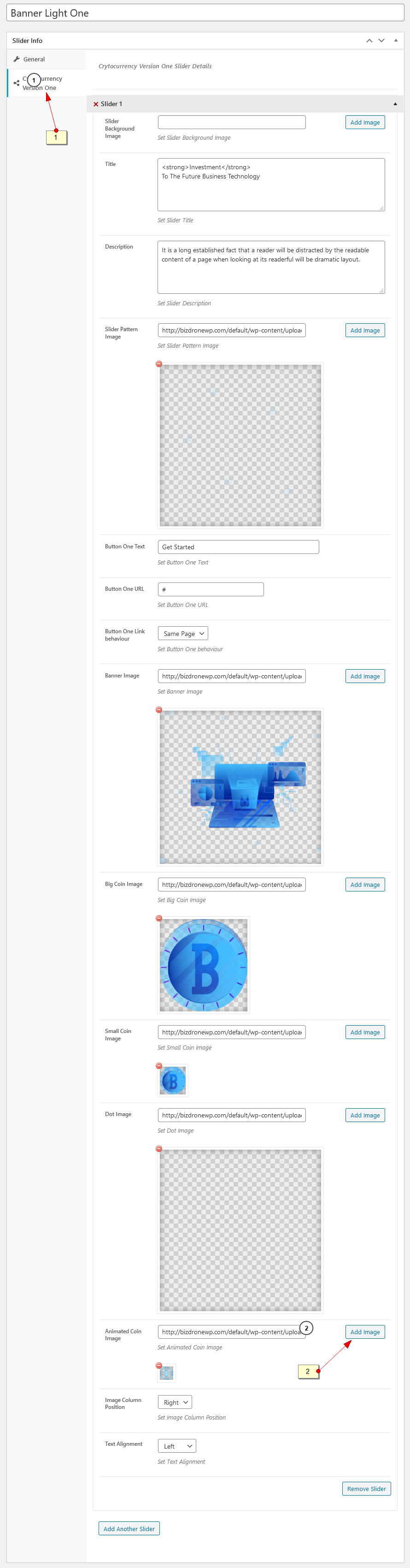
Moreover, please follow the screenshots https://prnt.sc/x3ht0t and https://easycaptures.com/fs/uploaded/1317/0857923782.png to change the animated icon.
Best Regards,
ThemeLooks Support Team
ThemeLooks Support TeamDear Naveed,
We have reviewed the screenshots.
It’s all about the theme issues that you are using. There is no relation to our plugin with the issues. You can check out our plugin live demo as a reference.
Please try to use a different theme to check and get rid of the issues. You can use the FoodBook Theme that we have provided with FoodBook.
Best Regards,
ThemeLooks Support Tam
ThemeLooks Support TeamDear Jean-Christophe,
We are sorry to say that there is no pre-built feature to do this.
If you are looking for a new feature based on your specific needs then you could contact here https://www.themelooks.com/contact/ with your requirements with details to get a quote.
Best Regards,
ThemeLooks Support Team
ThemeLooks Support TeamHi,
Thanks for your suggestion.
We will try to develop an Add-on in the future for tips.
Best Regards,
ThemeLooks Support Team
ThemeLooks Support TeamDear Mario,
It can be your theme or another 3rd party plugin conflicting issues. In this case, try to use another theme and deactivate the 3rd party plugins to check the issue. Because our plugin has no issue like those. You can check out our plugin live demo as a reference.
Moreover, you could use the FoodBook Theme that we have provided for FREE with the FoodBook.
Best Regards,
ThemeLooks Support Team
ThemeLooks Support TeamHi,
How can I update the plugins that come along with the theme, such as WP Bakery? I cannot find that in the documentation.
– Please follow the steps below to update the plugin.
1. Go to Plugins
2. Deactivate & delete the Bizdrone Core and WPBakery Page Builder Plugins
3. Go to Appearance -> Install Plugins
4. Install & activate the latest version of the plugins
How can I find the default pre-built sections and import them into a new page with WP Bakery?
– WP Bakery does not have any way/option to do so.
If I wish to have the cart icon in the Header, how can I add it?
– In this case, you need to hire a developer to customize the theme based on your needs and requirements. You can contact here https://www.themelooks.com/contact/ with your requirements with details to get a quote.
How can I add another button in the Header? 1 is not enough.
– In this case, you need to hire a developer to customize the theme based on your needs and requirements. You can contact here https://www.themelooks.com/contact/ with your requirements with details to get a quote.
Do you have a dark color template for the Bizdrone options, pages, blog, etc?
– We are sorry to say that there is no dark color template available for those pages.
Best Regards,
ThemeLooks Support Team
ThemeLooks Support TeamDear Naveed,
Please contact to click here https://www.themelooks.com/contact/ with your customization requirements with details to get a quote.
Best Regards,
ThemeLooks Support Team
ThemeLooks Support TeamDear Naveed,
It looks like somehow the plugin code changed. Did you customize the plugin codes?
Moreover, it can be your theme or another 3rd party plugin conflicting issues. In this case, try to use another theme and deactivate the 3rd party plugins to check the issue. Because our plugin has no issue like those. You can check out our plugin live demo as a reference.
Best Regards,
ThemeLooks Support Team
ThemeLooks Support TeamDear Naveed,
Please provide your wp-admin (URL, Username & Password) access using our Envato Market (codecanyon) profile contact form https://codecanyon.net/user/themelooks#contact (screenshot as reference http://prntscr.com/gkmr2r ) including this support topic link as a reference to review the issue to fix.
Best Regards,
ThemeLooks Support Team
ThemeLooks Support TeamDear Mikael,
The email is your hosting email server email.
However, we have listed this in our plugin update list to add a feature to change the email id in our next update of the plugin.
Moreover, the email sent to spam because of your hosting email server issue. Please contact your hosting provider to fix the issue.
Best Regards,
ThemeLooks Support Team
ThemeLooks Support TeamDear Jan,
Please don’t forget to give us 5-Star ‘rating and review’ (on https://themeforest.net/downloads ), if you like our item and our support too. It will give us inspiration and make us more ‘happy’ to support.
Best Regards,
ThemeLooks Support Team
ThemeLooks Support TeamDear Jan,
You will find out both files in the cvit-core plugin.
Here are the file paths:
cvit-core/hire/cvit-hire.php and cvit-core\cvit-parts\feedback.php
Best Regards,
ThemeLooks Support Team
ThemeLooks Support TeamDear gabriel,
Please provide a screenshot of the section to understand which icons are you talking about to assist you.
Best Regards,
ThemeLooks Support Team
ThemeLooks Support TeamDear Marlon,
Please check this checkbox that shows in this screenshot http://prntscr.com/wlpzfu to fix the issue.
As we said before, “It looks like Delivery Settings missing some configuration.” and that setting is missing.
Moreover, please configure everything properly to get everything working perfectly. You could review the FoodBook documentation to get help https://themelooks.net/documentation/plugin/foodbook/
Best Regards,
ThemeLooks Support Team
ThemeLooks Support TeamDear Marlon,
Our sales team informed us that you are replying to vai email instead of replying here. That’s why we are not getting any of your replies. Please reply here instead of replying to vai email to get assistance from us.
Moreover, please watch this video screen capture https://www.awesomescreenshot.com/video/2345398?key=435b9f64a415b901320a23d9324fe509 to see your provided credential is not working.
Hance, please provide the correct wp-admin Username & Password to review the issue to fix.
Best Regards,
ThemeLooks Support Team