ThemeLooks Support Team
Hi,
We didn’t get any new emails from you.
Please provide your wp-admin (URL, Username & Password) access using our Envato Market profile contact form https://codecanyon.net/user/themelooks#contact (screenshot as reference http://prntscr.com/gkmr2r ) including this support topic link as a reference to review the issue to fix.
Best Regards,
ThemeLooks Support Team
ThemeLooks Support TeamDear Ben,
You need to remove and reinstall the Bluishost Theme, Bluishost Core and WPBakery Page Builder Plugins to get the full updates.
Please follow the steps below to update the theme.
1. Go to Appearance -> Themes
2. Active another theme & delete the Bluishost theme
3. Click Add New -> Upload
4. Upload, install & activate the latest version of Bluishost theme
Or check out the article https://www.wpbeginner.com/wp-themes/how-to-update-a-wordpress-theme-without-losing-customization/ to update the theme.
Follow the steps below to update the plugin.
1. Go to Plugins
2. Deactivate & delete the Bluishost Core and WPBakery Page Builder Plugins
3. Go to Appearance -> Install Plugins
4. Install & activate the latest version of the plugins
Best Regards,
ThemeLooks Support Team
ThemeLooks Support TeamHi,
The user details you have sent that have not permission to access the admin area to check your issue.
Please update the user role and confirm for us.
Best Regards,
ThemeLooks Support Team
ThemeLooks Support TeamDear William,
In this issue, please follow the steps below.
1. Edit the main.js file
2. Find the comment STICKY CONTENT
3. remove/comment the code that shows in the screenshot https://prnt.sc/v1j2gc
Moreover, if you are using this product to sell it to your client the you have to buy an extended license. Please learn more here https://themeforest.net/licenses/standard
Best Regards,
ThemeLooks Support Team
ThemeLooks Support TeamHi,
Please provide your wp-admin (URL, Username & Password) access using our Envato Market profile contact form https://codecanyon.net/user/themelooks#contact (screenshot as reference http://prntscr.com/gkmr2r ) including this support topic link as a reference to review the issue to fix.
Best Regards,
ThemeLooks Support Team
ThemeLooks Support TeamDear Rafa,
We will try to provide the next update within the next week.
Best Regards,
ThemeLooks Support Team
ThemeLooks Support TeamDear Rafa,
We have listed these in our plugin update list to fix those issues in our next update of the plugin.
You will get notified via email when the update will available to download.
Best Regards,
ThemeLooks Support Team
ThemeLooks Support TeamYou are always welcome!
Best Regards,
ThemeLooks Support Team
ThemeLooks Support TeamDear Andrea,
In this issue, you could use the custom CSS below.
#backToTop {
    display: none !important;
}
Please don’t forget to give us 5-Star ‘rating and review’ (on https://themeforest.net/downloads ), if you like our item and our support too. It will give us inspiration and make us more ‘happy’ to support.
Best Regards,
ThemeLooks Support Team
ThemeLooks Support TeamHi,
We have double-checked the issue and didn’t find out any issue with our plugin where everything is working like as it should.
Please provide your wp-admin (URL, Username & Password) access using our Envato Market (themeforest) profile contact form https://codecanyon.net/user/themelooks#contact (screenshot as reference http://prntscr.com/gkmr2r ) including this support topic link as a reference to review the issue to fix.
Best Regards,
ThemeLooks Support Team
ThemeLooks Support TeamHi,
Please use the proper shortcode from FoodBook Settings -> Shortcode list. Example shortcode for 4 columns: [foodbook_products col="4" layout="grid" sidebar="yes" search="yes"]
Best Regards,
ThemeLooks Suppot Team
ThemeLooks Support TeamHi,
We have investigated the issue. It’s all about your Hosting Email Server issue. There is no relation between the issue with our plugin. You could check out the issue by ordering a product in our FoodBook demo using your real email to get the email notification.
In this issue, please contact with your Hosting provider to get assistance on your Hosting Email Server issue.
Moreover, please don’t forget to give us 5-Star ‘rating and review’ (on https://codecanyon.net/downloads ), if you like our item and our support too. It will give us inspiration and make us more ‘happy’ to support.
Best Regards,
ThemeLooks Support Team
ThemeLooks Support TeamHi,
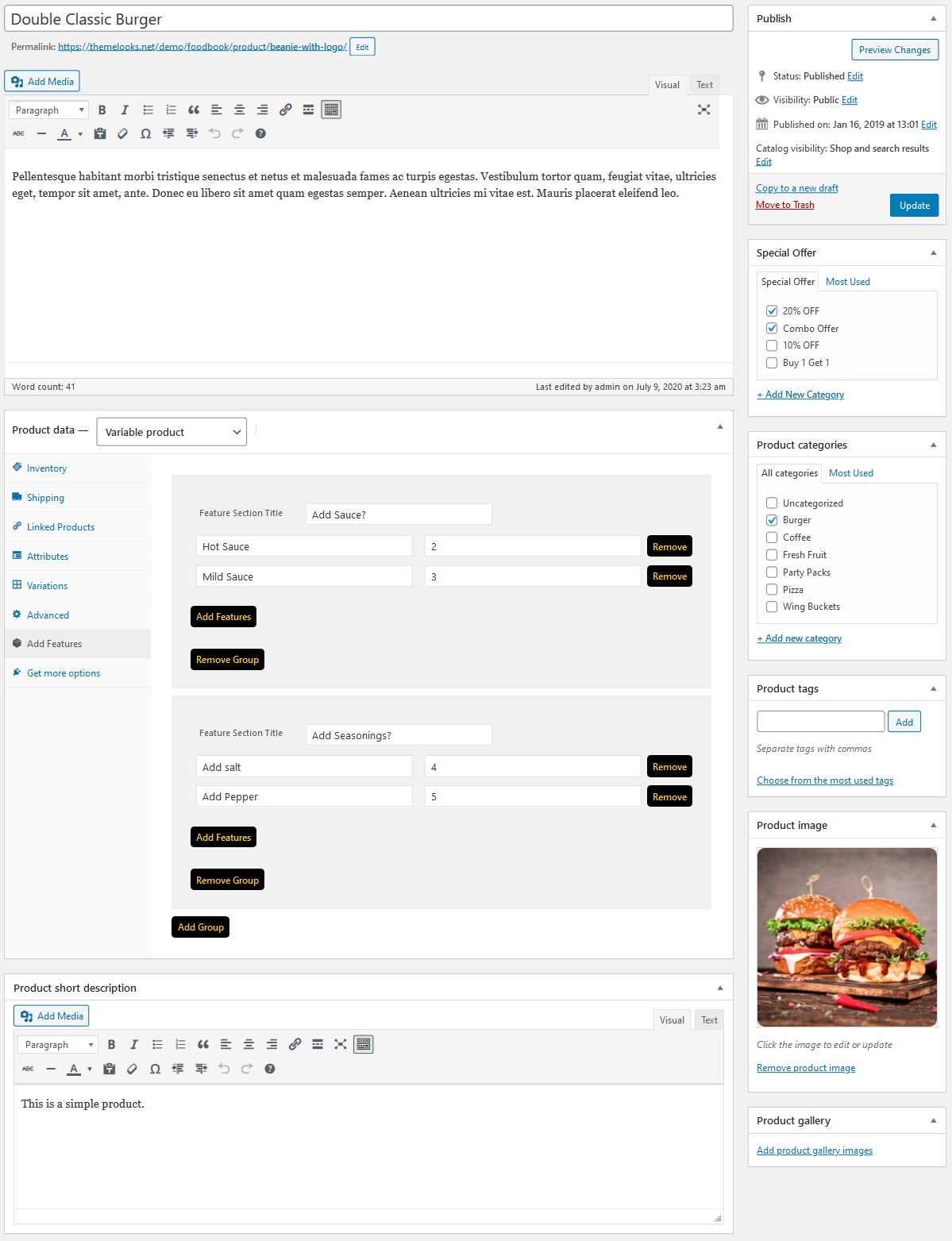
You will get the options on the add/edit product page https://s3.envato.com/files/303166813/preview-screenshots/07_screenshot.png
Moreover, we are investigatting the email notification issue. If needed we will update the plugin on Envato Market. You will get notified via email when the update will available to download.
Best Regards,
ThemeLooks Support Team
ThemeLooks Support TeamDear Emrah,
You need to remove and reinstall the “voifone” Theme, “Voifone Core” and “WPBakery Page Builder” Plugins to get the full updates of the theme.
Please follow the steps below to update the theme.
1. Go to Appearance -> Themes
2. Active another theme & delete the Voifone theme
3. Click Add New -> Upload
4. Upload, install & activate the latest version of Voifone theme
Or check out the article https://www.wpbeginner.com/wp-themes/how-to-update-a-wordpress-theme-without-losing-customization/ to update the theme.
Follow the steps below to update the plugin.
1. Go to Plugins
2. Deactivate & delete the Voifone Core and WPBakery Page Builder Plugins
3. Go to Appearance -> Install Plugins
4. Install & activate the latest version of the plugins
Best Regards,
ThemeLooks Support Team
ThemeLooks Support TeamDear Roberto,
Please let us know the verion number of FoodBook that you are using. Also, provide your website URL to review the issue.
Best Regards,
ThemeLooks Support Team